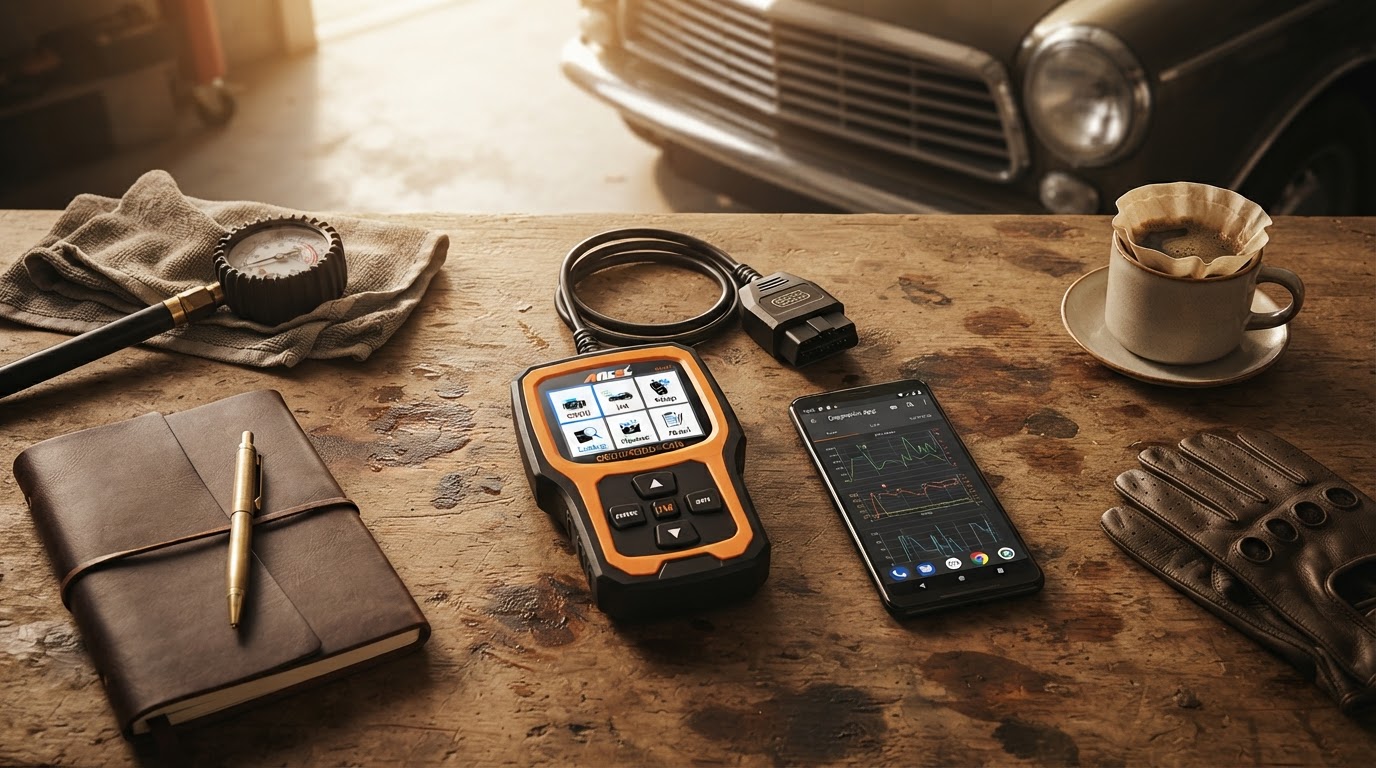
Selecting a Car Engine Scanner for Android Devices
August 17, 2026. This guide details the technical requirements and hardware selection process for using an Android smartphone as a vehicle diagnostic tool. It is designed for vehicle owners who need reliable engine data without the expense of professional shop scanners.
The Complexity of Android OBD2 Connectivity
Modern vehicle diagnostics have moved away from dedicated handheld units toward mobile-integrated hardware. For Android users, the primary challenge lies in the sheer variety of Bluetooth protocols and chipset versions available on the market. According to Cdiscount Auto, reliable interfaces like the Autophix Nexlink utilize Bluetooth 5.0 to ensure stable communication between the vehicle's ECU and the smartphone. This is critical because older Bluetooth 2.0 or 3.0 adapters often suffer from dropped connections or slow data refresh rates, which can lead to inaccurate real-time sensor readings. When you are trying to monitor fuel trims or oxygen sensor voltages while driving, a laggy connection makes the data useless. Furthermore, the market is saturated with low-quality ELM327 clones that claim version 2.1 compatibility but actually run on stripped-down version 1.0 firmware, which lacks the instruction set required for many modern vehicle protocols.
Before you start shopping, you need to understand that pairing bluetooth obd2 adapters involves more than just turning on your phone's discovery mode; the hardware must support the specific OBD-II protocol your car uses, whether that is CAN, KWP2000, or ISO9141. If you are also an Apple user, you might notice that some hardware is restricted by OS; for those instances, checking for an iphone compatible car scanner is a necessary step to ensure cross-platform utility. The goal is to find a bridge that doesn't just clear codes but provides a stable pipeline for telemetry. Skip this if you are only looking to turn off a loose gas cap light once every three years; a basic corded reader is cheaper and less of a headache for that specific, infrequent task.
How Car Engine Scanner Hardware Functions
Photo by Sergey Meshkov on Pexels
The Car Engine Scanner hardware is built to bypass the common pitfalls of generic ELM327 adapters by focusing on high-speed data throughput. While many entry-level tools struggle with high-PID (Parameter ID) counts, this hardware maintains a steady frame rate, which is essential for graphing live data. This stability is particularly important when you are using the best obd2 apps for smartphones to perform advanced diagnostics like misfire detection or transmission temperature monitoring. According to documentation from Pearl.fr regarding Lescars adapters, the ability to view live emission values and exhaust gas data in real-time is what separates a tool from a toy. Between these two, I’d go with a dedicated Bluetooth 5.0 unit because the bandwidth allows for more concurrent data streams without crashing the app.
If you're on a budget, you might be tempted by the ultra-cheap transparent blue adapters found on mass-market sites, but I've found those often fail to communicate with the vehicle's bus system entirely on newer 2020+ models. The Car Engine Scanner architecture ensures that the physical interface can handle the higher voltage spikes common in automotive electrical systems, preventing the adapter from frying during a jump-start or a battery surge. It also features an auto-sleep mode. This is a vital feature for Android users who leave their adapter plugged in long-term, as it prevents the parasitic draw from draining the car battery—a common complaint with generic Chinese clones. I prefer hardware that I don't have to physically unplug every time I park the car. It’s about creating a seamless integration where the phone becomes a permanent extension of the dashboard.
A Framework for Hardware Selection
Choosing the right adapter requires a systematic look at your specific needs and the technical limitations of your Android device. Not all Bluetooth is created equal; for example, Bluetooth Low Energy (BLE) is often preferred for newer Android versions because it doesn't require a traditional pairing code and connects almost instantly. If you are comparing professional-grade options, Idealo.fr lists the vLinker MC+ as a high-end alternative that supports specialized protocols like SW-CAN and MS-CAN, which are often needed for Ford and GM vehicles. However, for the average user, the standard Car Engine Scanner provides the best balance of speed and cost. Here's what I'd actually buy: a unit that specifically mentions "Check Engine Light" diagnostics alongside "Live Data" capabilities to ensure you aren't getting a read-only device that can't clear codes.
Use this checklist to verify your choice:
- Confirm the adapter supports Bluetooth 4.0 or 5.0 to ensure compatibility with modern Android builds.
- Verify that the hardware supports all 5 OBD-II protocols (SAE J1850 PWM, SAE J1850 VPW, ISO 9141-2, ISO 14230-4 KWP, and ISO 15765-4 CAN).
- Check for an integrated power-saving mode to prevent vehicle battery drain during long periods of inactivity.
- Ensure the physical dimensions of the adapter do not interfere with your knee room or the vehicle's trim panels.
- Look for hardware that offers a firmware update path to stay compatible with new vehicle models.
Sources
Photo by Sergey Meshkov on Pexels
- Obd2 Bluetooth Android - Amazon.fr
- Adaptateur OBD-II avec bluetooth pour application iOS/Android Lescars
- OBD2 Bluetooth Android sur idealo.fr